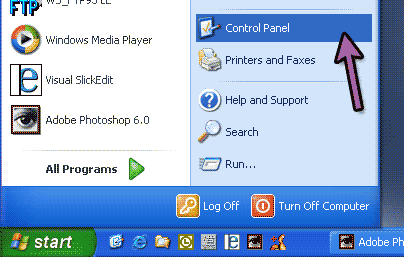
One you've installed the Nostalgic Screensaver you need to tell Windows to use it. Follow the directions below. If you are running Windows XP click the start button in the lower left corner of your screen and pick "Control Panel"
|
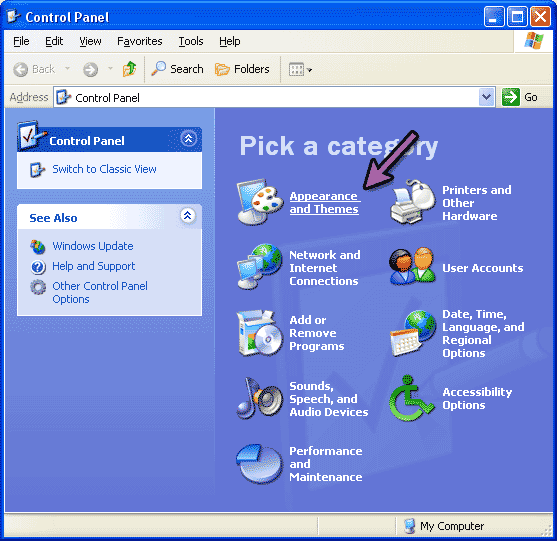
Then select "Appearance and Themes" |  |

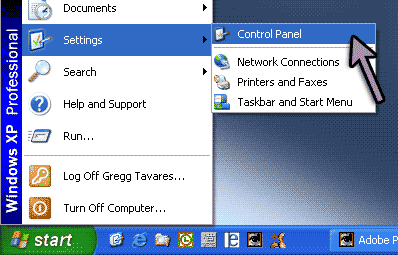
| If you are running Windows 95/98/ME/NT/2K your start menu will probably look *something* like this |
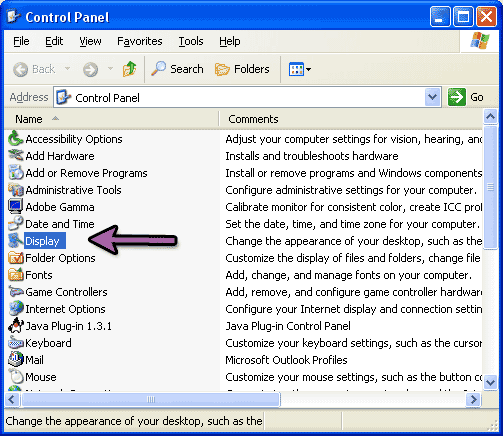
And in this case you would DOUBLE-CLICK on the Display control panel. |  |
One way or the other you should now see the Display Properties window.
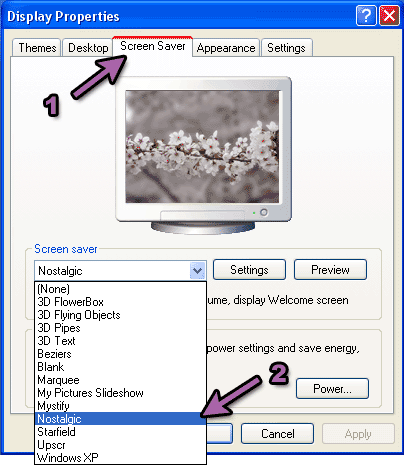
Near the top of the window there are tabs. The 3rd one should say "Screen Saver". Click that tab and the display should change to something similar to the image above. From the list near the center of the screen, click the little arrow-mark on the right side of the list then find "Nostalgic" and select it.
 That's basically all you need to do. Nostalgic will show the images in your "My Pictures" folder by default. If you want to select a different folder click the "Settings" button and you should see these settings.
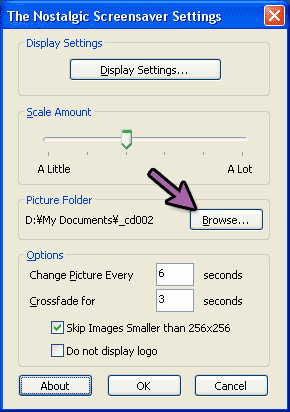
You can click the browse button and then select a folder from the folder browser window.
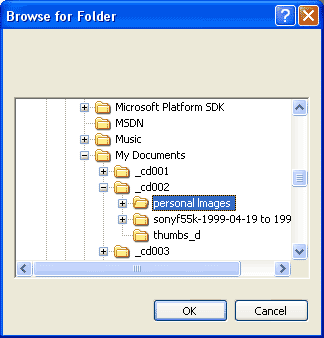
Any folder will do as long as there are some JPEG images inside.
 Hopefully that's it. The rest should be self explanatory I hope. If you have any questions feel free to post a message.
---